
What Is an AI Chatbot for Customer Service?
An AI chatbot for customer service is a software system that uses artificial intelligence to handle customer queries, resolve support issues, and guide users through processes — without requiring a human agent. Unlike rule-based bots that follow rigid decision trees, modern AI chatbots understand natural language, learn from conversation history, and provide contextual, accurate responses based on the business's own knowledge base.
In 2026, AI customer service chatbots operate across every major messaging channel: WhatsApp, Instagram DMs, Facebook Messenger, web chat, and email. A business deploys one AI — trained on its FAQs, product catalogue, and support documentation — and that AI handles queries across all channels simultaneously, 24/7, without any additional headcount.
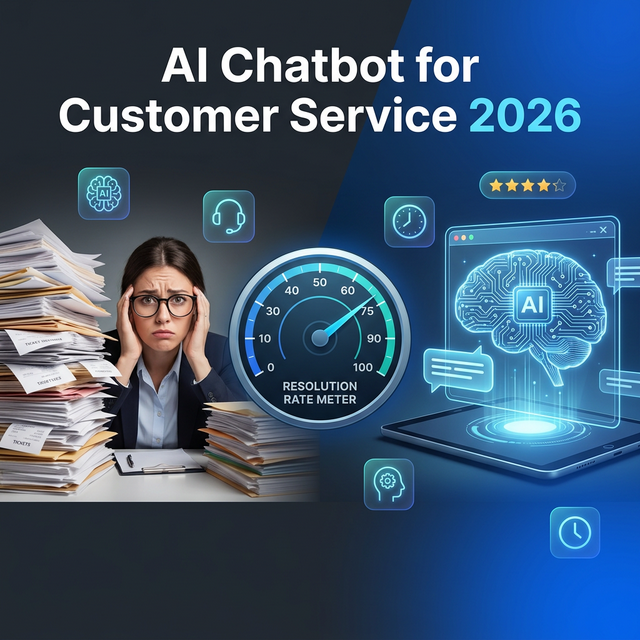
The top-performing deployments resolve 75–90% of inbound queries automatically, with only complex escalations passing to human agents — who receive full conversation context so they never ask the customer to repeat themselves.
Rule-Based Bots vs AI Chatbots: What's the Difference?
The distinction matters because most businesses make the mistake of deploying a cheap rule-based bot and calling it "AI." Here's the actual difference:
| Feature | Rule-Based Bot | AI Chatbot |
|---|---|---|
| How it works | Follows a fixed decision tree | Understands intent from natural language |
| Query resolution rate | 30–50% | 75–90% |
| Handles typos/variations | No — exact keyword match only | Yes — semantic understanding |
| Learns from conversations | No | Yes — continuously improves |
| Knowledge base training | Manual keyword mapping | Ingests full documents, URLs, and FAQs |
| Multi-language support | Requires separate bot per language | One bot, 50+ languages detected automatically |
| Human handover | Basic — drops conversation | Seamless — agent receives full context |
| Setup time | Days (scripting each path) | Hours (feed it your knowledge base) |
The resolution rate gap is the critical number. A rule-based bot that resolves 40% of queries still requires an agent for 60% of volume — which means you haven't actually reduced headcount or response time in any meaningful way. An AI chatbot resolving 85% means agents handle only 15% — the complex, high-value interactions where human judgement genuinely matters.
8 Core Capabilities of a Modern AI Customer Service Chatbot
1. Natural Language Understanding (NLU)
The bot reads customer messages and understands their intent — regardless of phrasing, typos, or abbreviations. "what r ur opening hrs" and "When do you open on Saturdays?" both return the same correct answer. This is the foundational capability that separates AI chatbots from keyword-matching bots.
2. Knowledge Base Integration
You feed the AI your existing documentation: help articles, FAQ pages, product manuals, onboarding guides, pricing tables. TextNow's AI Studio ingests these documents and makes the AI instantly knowledgeable about your business — no manual scripting required.
3. Multi-Channel Deployment
One AI configuration, deployed across WhatsApp, Instagram, Facebook Messenger, web chat, and email simultaneously. Each channel has appropriate formatting (WhatsApp sends bullet points differently than web chat), but the underlying AI logic is the same.
4. Lead Qualification
The AI doesn't just answer questions — it proactively qualifies inbound leads by asking the right questions (budget, timeline, use case) and routing high-intent prospects directly to sales agents. Smart routing rules ensure the right leads land with the right agent, with full conversation context prepopulated.
5. Seamless Human Handover
When the AI reaches the limit of its capability or detects a customer who needs human attention (frustration keywords, escalation phrases, complex multi-step issues), it hands over to a human agent in the omnichannel inbox — passing the full conversation history so the agent can pick up exactly where the bot left off, without asking the customer to re-explain their issue.
6. Proactive Messaging
AI chatbots aren't only reactive. They trigger proactive sequences: post-purchase check-ins, appointment reminders, re-engagement campaigns for dormant customers, and onboarding nudges — all via WhatsApp or the customer's preferred channel, at the right moment in the customer lifecycle.
7. Analytics and Continuous Learning
Every conversation teaches the AI what works and what doesn't. Resolution rate, escalation rate, average handle time, and topic clustering analytics help you identify where the bot is failing and improve it incrementally. Most businesses see resolution rates improve from 75% to 88%+ within 90 days of deployment.
8. CSAT and Feedback Collection
Post-resolution CSAT surveys are sent automatically via the same channel — a two-tap rating on WhatsApp (👍/👎 or 1–5 stars). This closes the feedback loop without requiring the customer to visit a separate survey form.
AI Chatbot for Customer Service: Use Cases by Industry
E-Commerce and Retail
AI chatbots handle order status, returns, refunds, size queries, and promotional FAQs — with live inventory lookups and direct links to tracking pages. Abandoned cart bots trigger automatically 90 minutes after a customer leaves the checkout without completing a purchase. Resolution rates of 80–90% are common in e-commerce, where most queries follow predictable patterns.
Healthcare
Appointment booking, clinic hours, insurance FAQs, pre-visit instructions, and post-visit follow-ups are all automatable. AI chatbots in healthcare reduce no-shows by 40–50% through proactive WhatsApp reminder sequences, and handle after-hours patient queries that would otherwise go unanswered until morning.
Banking and Financial Services
Balance inquiries, transaction history, card blocks, branch locations, and product FAQs — all resolvable without an agent. AI bots in banking are especially effective for reducing call centre volume by handling Tier-1 queries on WhatsApp, where customers increasingly prefer to interact with their bank.
SaaS and Technology
Onboarding flows, feature walkthroughs, billing queries, bug report triage, and plan comparison questions are ideal for AI chatbots in SaaS. The AI can be trained on the entire help documentation and update training automatically when docs are updated.
Logistics and Delivery
Tracking inquiries, ETA updates, failed delivery rescheduling, and POD requests — AI chatbots in logistics handle the single highest-volume query ("where is my order?") at scale. Proactive delivery notifications prevent most queries from occurring in the first place. See our Logistics automation guide.
How to Measure AI Chatbot Performance
The five metrics that matter for a customer service AI chatbot:
- Automated Resolution Rate (ARR) — the % of conversations fully resolved by the AI without human escalation. Target: 75%+ for mature deployments. The industry average for rule-based bots is 35–45%. AI chatbots routinely achieve 80–90%.
- Escalation Rate — % of conversations handed to a human agent. Inverse of ARR. Monitor to ensure escalations are happening for the right reasons (complex issues, not bot failures).
- First Response Time — for AI, this should be immediate (under 3 seconds). Any delay signals a configuration or infrastructure issue.
- CSAT for Bot-Resolved Conversations — target 4.0+ out of 5. If bot-resolved CSAT is below 3.5, the AI is giving technically accurate but unhelpful answers.
- Query Volume Deflection — reduction in agent-handled volume since bot deployment. This is the direct ROI metric that justifies the investment to stakeholders.
How to Build and Deploy an AI Customer Service Chatbot in 5 Steps
- Define your use cases and scope. Start with the 5–10 most common inbound query topics. Pull 3 months of support ticket data to identify what drives 80% of your volume. Build the AI to handle those first.
- Prepare your knowledge base. Gather all relevant content: help articles, FAQs, product pages, pricing pages, process documentation. Upload to TextNow's AI bot builder — the AI will learn from it automatically.
- Configure channels and handover rules. Choose which channels to deploy on (WhatsApp first for highest impact), and define escalation triggers: what keywords or conversation states should automatically route to a human? Set up the omnichannel inbox so agents are ready to receive escalations.
- Test and iterate before launch. Run 50+ test conversations covering your most common query types. Check edge cases. Identify where the AI gives incorrect or incomplete answers and add to the knowledge base. Most teams need 2–4 rounds of testing to hit 75%+ ARR.
- Monitor and optimise post-launch. Review the weekly analytics report. Sort escalated conversations by reason. For each category of bot failure, add training content. Most deployments see ARR improve by 10–15 percentage points in the first 60 days after launch.
Want to deploy an AI customer service chatbot in days, not months? Book a personalised demo or start your free trial.
Your competitors are already automating. Are you?
Every hour your team spends switching between messaging apps is an hour not spent closing deals or solving problems. TextNow puts WhatsApp Instagram Email and every channel in one place - with AI that qualifies leads and answers questions while you sleep.
No credit card required · 14-day free trial · Cancel anytime