
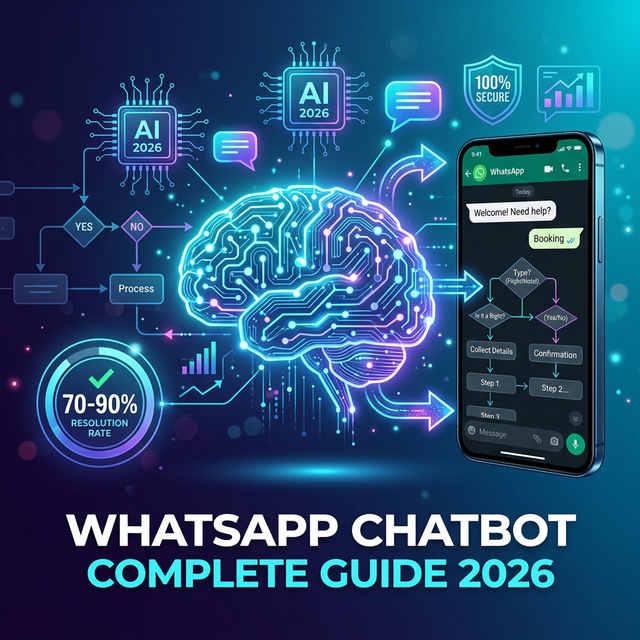
What Is a WhatsApp Chatbot?
A WhatsApp chatbot is an automated messaging system connected to a WhatsApp Business API account. It uses programmed rules, AI, or both to read customer messages and respond automatically — answering questions, collecting information, qualifying leads, processing requests, and routing complex queries to human agents at any hour of the day.
Unlike a basic auto-reply (which the free WhatsApp Business App supports), a WhatsApp chatbot is a fully conversational AI — it understands intent across different phrasings, maintains context across a conversation thread, and can execute multi-step flows: qualification, booking, complaint intake, lead capture, and product recommendation.
In 2026, WhatsApp chatbots have become the primary customer service automation layer for businesses operating in markets where WhatsApp is the dominant messaging channel — over 120 countries, including India, Brazil, the UAE, the UK, Germany, Indonesia, and across most of Africa and Latin America.
WhatsApp Chatbot vs Regular Chatbot: Key Differences
| Dimension | Regular (web) chatbot | WhatsApp chatbot |
|---|---|---|
| Channel | Website widget only | WhatsApp — where customers already are |
| Message open rate | 30–50% (web push) | 95–98% (WhatsApp notifications) |
| Customer setup required | Must visit your website | They already have WhatsApp installed |
| Conversation continuity | Lost when browser tab closes | Persistent — conversation history always accessible |
| Rich media support | Limited by website embedding | Images, PDFs, buttons, lists, quick replies |
| Proactive messaging | Limited (email follow-up only) | Full broadcast campaigns to opted-in contacts |
| Human handoff | Usually another tab or email | Same WhatsApp thread — zero context lost |
5 Types of WhatsApp Chatbots
1. FAQ / Support Chatbots
The most common deployment. Trained on a knowledge base of frequently asked questions — product information, pricing, shipping, returns, account management — the bot resolves routine queries without an agent. Well-configured support bots typically resolve 70–90% of inbound support volume, freeing agents for complex cases and VIP customers.
2. Lead Qualification Chatbots
Used by sales teams to qualify inbound leads from Facebook, Instagram, and website forms before they reach an agent. The bot runs a structured qualification flow — budget, timeline, requirements, company size — and routes qualified leads directly to the right salesperson with full context. Unqualified leads enter a follow-up nurture sequence automatically.
3. Appointment and Booking Bots
Used by healthcare, beauty, education, and service businesses to automate appointment scheduling. The bot shows available slots, books, sends confirmations, and triggers reminder sequences (48h and 2h before) — reducing no-shows by 35–50% and eliminating manual booking calls.
4. E-Commerce Order Bots
Handles the post-purchase support flow: order status ("where is my order?"), return requests, refund status, and product queries. For businesses with high order volumes, an order bot can deflect 60–70% of all inbound post-purchase queries — reducing cost-per-contact dramatically and freeing support teams for escalations.
5. WhatsApp Marketing Chatbots
Combines broadcast campaigns with a conversational response layer. A promotional broadcast goes out to a segmented list — customers who reply with "YES", "INFO", or a keyword trigger enter an automated conversation flow that handles questions and converts them directly in WhatsApp. This is particularly effective for flash sales and limited-time offers where conversion speed matters.
How WhatsApp Chatbots Work: The Technical Architecture
A WhatsApp chatbot requires three components to operate:
- WhatsApp Business API access — the official Meta API that allows programmatic sending and receiving of WhatsApp messages. This requires a Meta Business Manager account, phone number verification, and access via a Meta-approved Business Solution Provider (BSP) like TextNow.
- A chatbot engine — the software that processes incoming messages, applies your conversation logic, and generates responses. This can be rule-based (decision tree), AI-powered (NLU model trained on your content), or a hybrid of both.
- A business logic integration layer — optional but common. This connects your bot to your CRM, order management system, booking system, or help desk — so the bot can look up order status, check appointment availability, or read contact data in real time.
TextNow's WhatsApp chatbot platform handles all three layers — API access, AI chatbot engine, and integration infrastructure — so businesses can go from sign-up to live deployment in days.
WhatsApp Chatbot Best Practices for 2026
Start narrow, then expand
The biggest mistake businesses make is trying to automate everything on day one. Start with the 5–10 highest-volume query types — typically the questions your support team answers 20+ times per day. Get those right first. Measure resolution rates and add coverage incrementally. Most deployments see ARR (Automated Resolution Rate) improve by 10–20 points in the first 90 days as the bot is trained on real conversation data.
Design for graceful failure
A WhatsApp chatbot will always encounter queries it can't answer. Design explicit failure paths: when the bot can't match intent with sufficient confidence, it should tell the customer clearly and offer to connect them with a human agent — not give a confusing or irrelevant response. A well-handled failure often produces a better customer experience than a poor AI attempt.
Personalise from conversation data
WhatsApp chatbots have access to the customer's phone number — which means you can pull CRM data (name, order history, subscription status) to personalise responses immediately. "Hi Priya, I can see your order #38291 is currently in transit" is vastly more effective than a generic "Please provide your order number".
Don't hide the human escalation path
Some businesses try to make their chatbot look human or make it difficult to reach an agent. This consistently backfires — it erodes trust and increases frustration. Always make the "Talk to a person" option discoverable. In practice, customers who can easily escalate are less likely to actually use it — because the bot has handled their query well.
Use rich message types
WhatsApp supports interactive messages with buttons, list menus, and quick replies. Use them. A quick reply button that says "Check my order status" always outperforms a free-text prompt asking the user to type what they want. Structured flows get higher completion rates and produce more usable data.
How to Build a WhatsApp Chatbot Without Coding: 5 Steps
- Get WhatsApp Business API access. Connect your business phone number via TextNow — our team handles Meta verification, number registration, and template onboarding. You're live in days, not weeks.
- Define your bot's scope. Identify your top 10 query categories by pulling 3 months of ticket or message data. These become your first automation targets. Document the correct response for each — this becomes your knowledge base.
- Build flows in AI Studio. Use TextNow's visual no-code bot builder to construct your conversation flows. Add decision branches, conditional routing, API lookups, and escalation triggers using a drag-and-drop canvas. No engineering required.
- Test thoroughly before launch. Run at least 50 test conversations across all your defined flows — including edge cases and failure scenarios. Fix any points of confusion. Have 2–3 team members who don't know the bot try it fresh.
- Launch, monitor, and iterate. Go live and monitor the weekly analytics: resolution rate, escalation rate, top failure reasons. Use failure reasons to add knowledge base content. Set a monthly review cadence — within 90 days your bot should be handling 70%+ of your inbound volume.
Ready to build your WhatsApp chatbot? Start a free trial or book a demo.
Your competitors are already automating. Are you?
Every hour your team spends switching between messaging apps is an hour not spent closing deals or solving problems. TextNow puts WhatsApp Instagram Email and every channel in one place - with AI that qualifies leads and answers questions while you sleep.
No credit card required · 14-day free trial · Cancel anytime