
What Is WhatsApp CRM?
WhatsApp CRM refers to the integration of WhatsApp Business messaging with customer relationship management capabilities — combining WhatsApp's reach and engagement with the contact management, conversation history, and workflow automation that a CRM system provides.
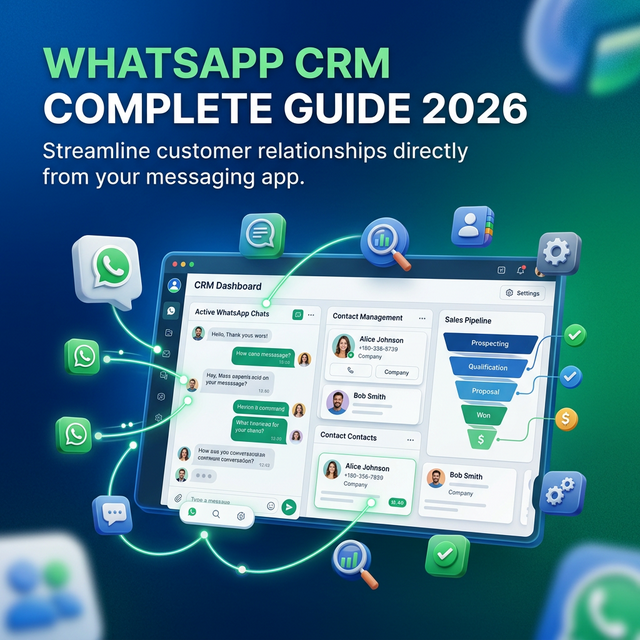
A WhatsApp CRM enables businesses to manage all WhatsApp conversations with customers from a centralised platform: tracking who the customer is, what they've purchased, what conversations they've had, and what stage of the pipeline they're in — all visible in a single unified inbox rather than a fragmented chat app.
In 2026, with WhatsApp used by over 3 billion people across 180+ countries, it's the primary channel through which B2C businesses receive inquiries, process orders, and handle support. Managing this at scale requires CRM-grade tooling on top of WhatsApp's messaging infrastructure — which is exactly what a WhatsApp CRM platform provides.
Why Businesses Need a WhatsApp CRM in 2026
The average business using basic WhatsApp Business manages contacts via a phone's contact list, has no shared inbox for team access, loses conversation history when a staff member leaves, and can't segment or automate any part of the customer journey.
This breaks down the moment volume grows. A business handling 50+ WhatsApp inquiries per day can't be managed from a personal phone — it needs a proper WhatsApp CRM with:
- Team inbox — multiple agents work from one shared WhatsApp number without conflicts
- Contact profiles — full purchase history, tags, custom fields, and conversation timeline for every customer
- Pipeline stages — track contacts through lead → qualified → proposal → closed, visible to the whole team
- Automated follow-ups — trigger WhatsApp sequences when a contact reaches a certain stage, doesn't reply within 24 hours, or takes a specific action
- Broadcast campaigns — send segmented WhatsApp campaigns to contact lists filtered by tags, pipeline stage, or custom attributes
WhatsApp CRM vs Traditional CRM
A traditional CRM (Salesforce, HubSpot, Zoho) is built around email and web forms. It tracks contact data, deal stages, and activity logs — but it wasn't designed for real-time, two-way conversational messaging at scale.
| Feature | Traditional CRM | WhatsApp CRM |
|---|---|---|
| Primary channel | Email, web forms | WhatsApp (+ Instagram, Facebook, web chat) |
| Message open rate | 20–25% (email) | 95–98% (WhatsApp) |
| Two-way real-time chat | Not native | First-class feature |
| AI chatbot integration | Add-on / third-party | Built-in, on WhatsApp directly |
| Broadcast campaigns | Email newsletters | WhatsApp broadcasts (98% open rate) |
| Response time expectation | Hours to days | Minutes |
| Contact preference (2026) | Declining | Preferred by 68% of consumers globally |
The two aren't mutually exclusive — many businesses use a traditional CRM for deal tracking and a WhatsApp CRM like TextNow for real-time customer communication and engagement. Some WhatsApp CRM platforms (including TextNow) integrate with Salesforce, HubSpot, and Zoho via API so contact data flows between systems automatically.
Key Features to Look for in a WhatsApp CRM
1. WhatsApp Business API Access
The foundation of any WhatsApp CRM is the WhatsApp Business API — the official Meta gateway that enables bulk messaging, multiple agents on one number, broadcast campaigns, and chatbot integration. Without the API, you're limited to the WhatsApp Business app (one user, no automation). Your WhatsApp CRM must either be a Meta-approved BSP or integrate with one.
2. Shared Team Inbox
A shared inbox allows multiple agents to respond to WhatsApp messages from the same business number — with conversation assignment, internal notes, and full chat history visible to everyone on the team. This is the core operational feature that separates a WhatsApp CRM from a personal WhatsApp Business account.
3. Contact Management with Custom Fields
Every WhatsApp contact should have a profile with their name, phone number, conversation history, tags, pipeline stage, and any custom fields your business needs (property budget, product tier, last purchase date, etc.). This turns a chat app into a real CRM.
4. AI Chatbot Integration
The best WhatsApp CRM platforms have a built-in WhatsApp chatbot builder that automates first-response, lead qualification, FAQ handling, and appointment booking — feeding qualified leads directly into the CRM pipeline. This eliminates manual data entry and ensures no lead is missed outside business hours.
5. Broadcast Campaigns with Segmentation
Broadcast campaigns should allow segmentation by contact tags, custom attributes, pipeline stage, or last activity date. The ability to send a bulk WhatsApp message to "all contacts who haven't purchased in 60 days" or "all leads tagged as hot" is a direct revenue driver — and only possible with a proper WhatsApp CRM.
6. Automation Workflows
Trigger automated WhatsApp sequences based on contact behaviour: when a contact doesn't reply in 48 hours, send a follow-up. When a contact books a demo, move them to the "Proposal" stage and notify the account manager. When a contact purchases, start an onboarding sequence. This is CRM-grade automation — on WhatsApp.
7. Analytics and Reporting
Track open rates, reply rates, conversion rates, average response time, and agent performance. A WhatsApp CRM without analytics is just a chat tool — the data layer is what turns it into a business intelligence asset.
WhatsApp CRM Use Cases by Industry
Real Estate
Real estate agencies use WhatsApp CRM to manage all incoming property inquiries — capturing lead details, tracking buyer intent (location, budget, property type), and routing hot leads to specific agents. Automated follow-up sequences ensure no lead goes cold. See our Real Estate guide for specific tactics.
E-Commerce
E-commerce brands use WhatsApp CRM for post-purchase communication (order confirmations, shipping updates), abandoned cart recovery (triggered WhatsApp messages 90 minutes after cart abandonment), and customer support. WhatsApp cart recovery campaigns see 15–25% recovery rates — 3–5× email.
Healthcare
Healthcare providers use WhatsApp CRM to manage patient appointment booking, reminder sequences, post-visit follow-ups, and FAQs — with full conversation history per patient and HIPAA-conscious data handling.
SaaS and B2B Sales
B2B companies use WhatsApp CRM to manage their sales pipeline from a channel where decision makers actually respond. WhatsApp messages from a sales rep achieve dramatically higher open and reply rates than email, making it a natural fit for pipeline management and follow-up sequences.
Education
Universities and ed-tech platforms use WhatsApp CRM to manage admissions inquiry pipelines, track prospective student conversations, and send re-engagement campaigns to leads who showed interest but didn't convert. See how in our Education guide.
How to Set Up a WhatsApp CRM: 5-Step Guide
- Get WhatsApp Business API access. Connect your business phone number to the WhatsApp Business API via a Meta-approved BSP. TextNow handles verification, onboarding, and template approval — you're live in days.
- Set up your shared team inbox. Invite your sales or support agents, configure assignment rules (round-robin, skill-based, or manual), and set up internal tagging for conversation categorisation.
- Configure your contact database. Import existing contacts, define custom fields, and set up your pipeline stages. Integrate with your existing CRM via API or native integration if applicable.
- Deploy your AI chatbot. Use TextNow's AI Studio to build qualification flows, FAQ handling, and lead capture sequences — so your WhatsApp CRM works 24/7 even when agents are offline.
- Segment and broadcast. Build your opt-in contact list, segment by attributes, and run your first WhatsApp broadcast campaign — tracking open rates, clicks, and replies in real time.
Ready to set up your WhatsApp CRM? Start a free trial or book a personalised demo.
Your competitors are already automating. Are you?
Every hour your team spends switching between messaging apps is an hour not spent closing deals or solving problems. TextNow puts WhatsApp Instagram Email and every channel in one place - with AI that qualifies leads and answers questions while you sleep.
No credit card required · 14-day free trial · Cancel anytime